Digital Signatures: Video ID
We are an authorised registration authority for the emission of digital certificates. Instead of having to come to Spain and complete a cumbersome process with the oldfashioned Fabrica Nacional de Mondea y Timbre (FNMT), we facilitate the full process of application, identification and emission online. A key step in this process is encrypted video identification.

Introduction
To verify your identity and obtain your digital certificate, you must complete a video identification process. This process consists of capturing an image of your identity document and recording a video using a mobile device equipped with a camera, microphone, and Internet connection.
Verification Period
You have 120 days to complete the verification. The period begins from the moment you receive the email with the verification link.
Prerequisites
- Valid identity document: DNI, NIE with photo (TIE Card), Passport
- Stable Internet connection: Preferably Wi-Fi
- Allow access to the camera and microphone: When prompted by your browser
Starting the Process
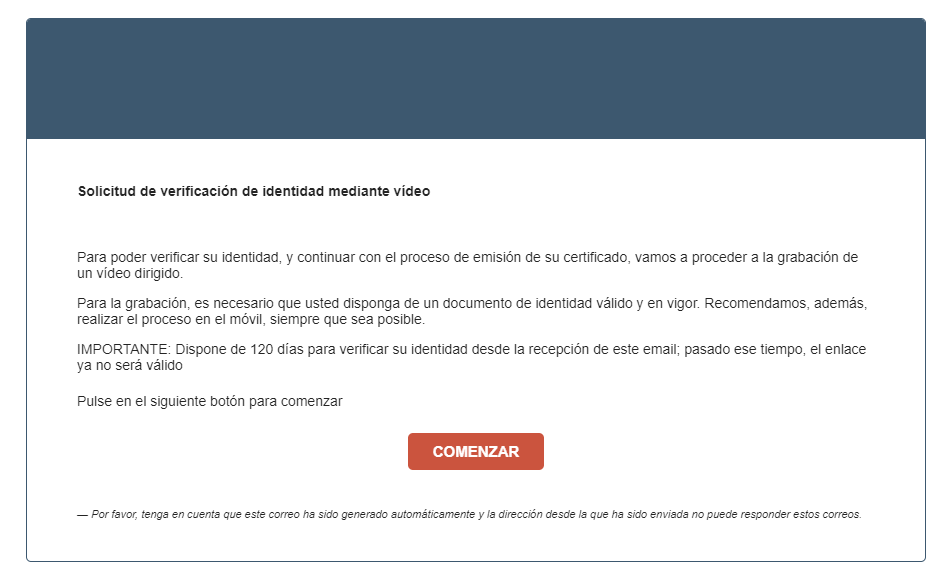
The certificate holder receives an email to begin the video identification. Click Start to access the platform.
Process Steps
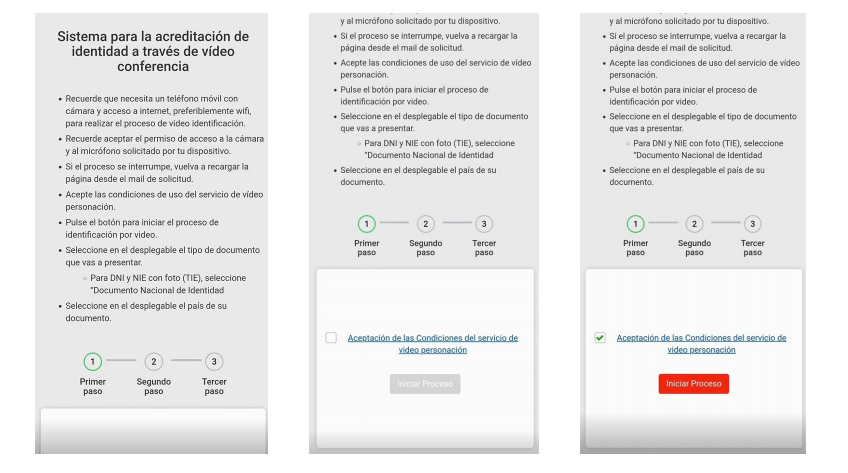
To begin, accept the terms and conditions of the video identification service by selecting the checkbox and clicking Start Process.
Document Selection and Permissions
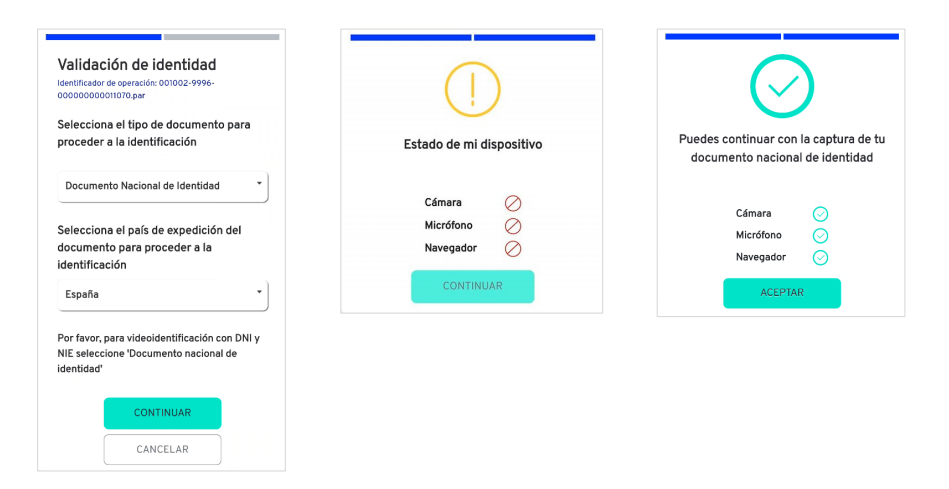
Select the type of document you will use for identification and the country where it was issued. Select the type of document you will present from the drop-down menu. For DNI and NIE with a photo (TIE), select “National Identity Document”. Choose the issuing country of your document from the drop-down menu. After clicking Continue, the system will request permission to access your camera and microphone. Once both indicators appear in green, proceed by clicking Accept.
Capturing the Identity Document
Front Side
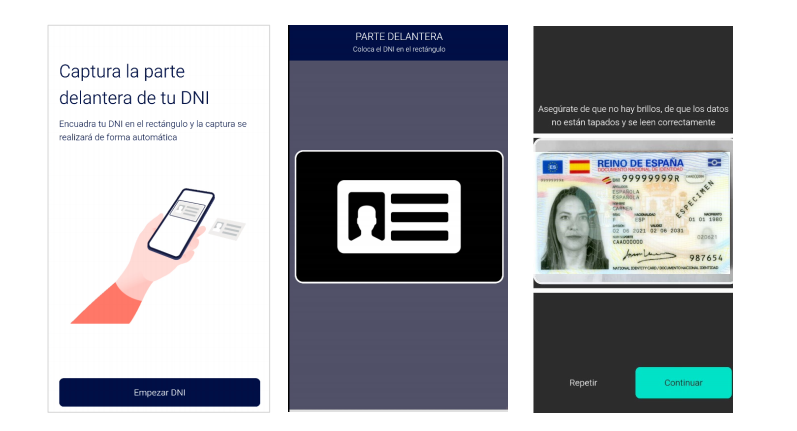
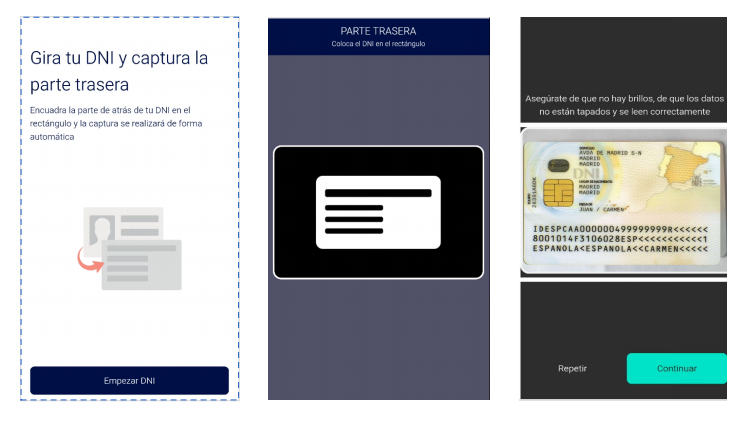
Place your ID inside the frame displayed on the screen. Avoid glare and ensure all data is clearly visible. The capture will be taken automatically once the document is properly aligned. Confirm the capture by clicking Continue. You may repeat the process if the image is not satisfactory.
Back Side
Turn the document over and repeat the capture process. Make sure all information is fully visible.
Facial Capture
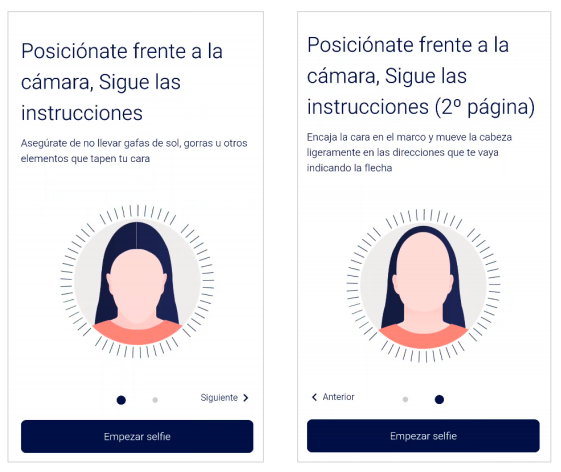
Position yourself in front of the camera. Make sure you are not wearing sunglasses, hats, or any items that may obstruct your face. Align your face within the frame and follow the on-screen instructions (such as slightly turning your head to one side). Maintain a natural expression and avoid smiling.
Video Capture
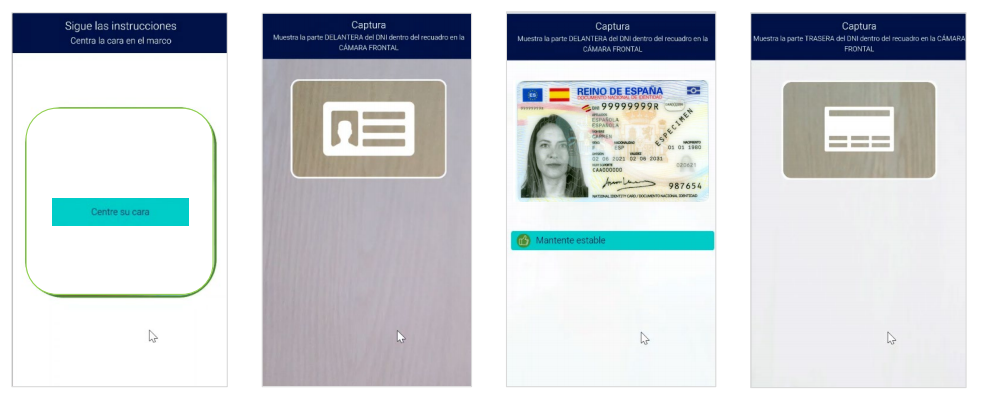
You will be asked to show your ID again (both front and back) to the front camera. Follow the instructions to center the document within the frame. Remain steady throughout the recording.
Process Confirmation
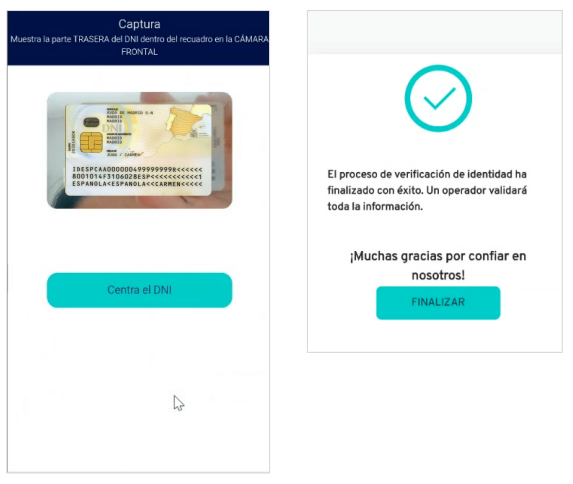
Once the video has been completed, you will receive a confirmation message indicating that the process has finished successfully. An operator will then validate the information provided.
Business in Spain
Many business opportunities

Mobility
The free movement of capital, people, goods, and services is a fundamental aspect of a dynamic economy. Spain embraces this principle, promoting open borders to foster trade, investment, and societal integration within the European Union.

Free Trade
The absence of tariffs or other barriers for cross-border economic activities is a key advantage. Spain actively promotes open trade policies to facilitate seamless cross-border transactions and encourage economic growth.

Funding
Access to European programs, funding and low interest rates presents valuable opportunities for growth and development. Spain actively engages in these initiatives to foster economic progress and innovation.

Stable Currency
A strong single currency that eliminates exchange rate and inflation risks is a crucial advantage. Spain has committed to maintaining a stable currency to harness these benefits.

VAT Exemption
No VAT charged on intra-community transactions is a significant benefit. Spain adheres to this practice, facilitating seamless trade within the European Union.

Infrastructure
Efficient communication and transport networks are vital for facilitating seamless trade and connectivity. Spain has invested in developing robust infrastructure to support these essential functions.